

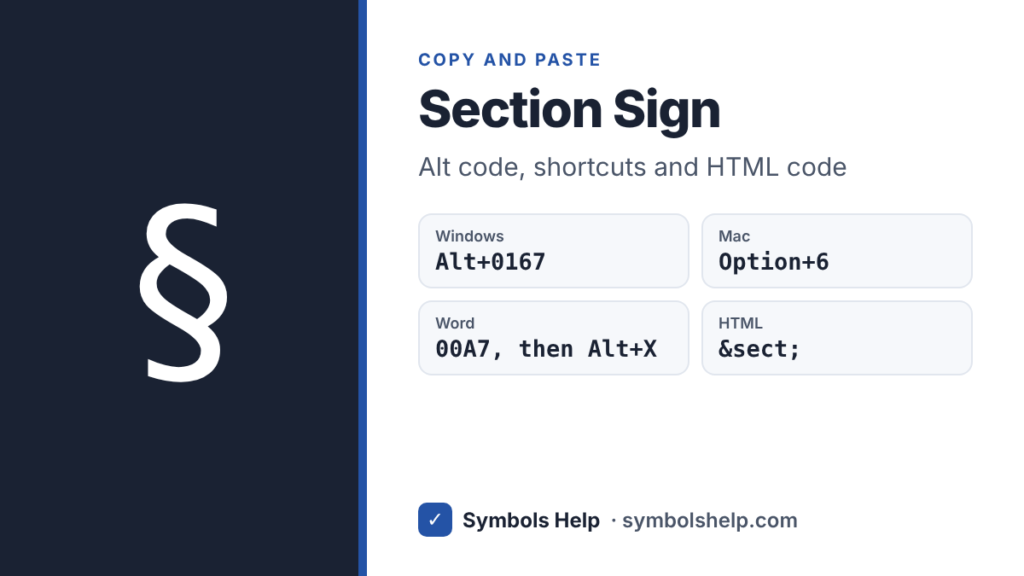
Copy the section sign § with one click below. On Windows, hold Alt and type 0167 on the number pad. On a Mac, press Option + 6. The section sign is used mostly in laws and contracts, where § 5 means “section 5”.
Section signU+00A7
Section sign and footnote symbols · Click any symbol to copy it.
Section sign codes
| Sign | HTML | Alt |
|---|---|---|
| § Section sign | § | 0167 or 21 |
| ¶ Pilcrow | ¶ | 0182 or 20 |
| † Dagger | † | 0134 |
| ‡ Double dagger | ‡ | 0135 |
Both Alt codes give §. Alt + 0167 uses the Windows-1252 character set and Alt + 21 uses the old DOS set. Our Alt Code Finder shows every Alt code, and the Unicode converter shows all the other codes for any symbol.
How to type the section sign
| Where | Keys |
|---|---|
| Windows | Alt + 0167 on the number pad |
| Mac | Option + 6 |
| Mac, UK or European | The § key next to 1 |
| Microsoft Word | Type 00A7, then Alt + X |
| Chromebook | Ctrl + Shift + U, then a7 and Space |
| Phone | Copy it, or hold the & key on many iPhones |
Windows
Turn on Num Lock, hold Alt and type 0167. No number pad? Press Windows key + . (period), click the Ω tab and look in the Latin symbols. Our Alt codes guide explains how Alt codes work.
Mac
Option + 6 works on the US keyboard. Many UK and European Mac keyboards even have their own § key, just left of the 1 key. Our Mac symbols guide has more shortcuts.
Word, Google Docs and phones
In Word, type 00A7 and press Alt + X. In Google Docs, go to Insert > Symbols > Special characters and search for “section”. On a phone, copying is the easiest way, and our phone symbols guide shows how to save it as a shortcut.
How to use the section sign
In legal writing, § stands for “section” and §§ for “sections”.
- One section: § 1983, or in a full citation, 42 U.S.C. § 1983.
- More than one: §§ 101 and 102.
- Put a space between § and the number. A no-break space is best, so the two never end up on different lines.
- At the start of a sentence, write the word Section instead of the sign.
In Germany and many other European countries, the same sign is used for the numbered paragraphs of a law. There it is often read as “paragraph”, as in § 242 of the German criminal code.
Section sign examples in real citations
Here is how § looks in real references.
US law: 42 U.S.C. § 1983 (section 1983 of Title 42 of the United States Code).
German law: § 242 StGB (paragraph 242 of the German Criminal Code).
Academic writing: “as shown in § 4.2 of the report”.
Multiple sections: §§ 101 to 105.
In each case the sign replaces the word “section” and a space follows it, except in German writing where the number often follows at once.
Section sign vs paragraph sign
The two signs are partners in legal writing. § points to a section of a law and ¶ points to a paragraph of a document. They sit next to each other in the old footnote order, and you can copy both from the tool at the top of this page. The paragraph symbol page has the full story of ¶.
| Sign | Name | Alt code |
|---|---|---|
| § | Section sign | Alt + 0167 |
| ¶ | Pilcrow (paragraph sign) | Alt + 0182 |
More places you will see §
- Footnotes. Before numbers became normal, printers marked footnotes in this order: * † ‡ § ‖ ¶. The section sign was the fourth mark.
- Book and report sections, like “see § 4.2”, in technical and academic writing.
- Some video games, like Minecraft, use § to start a color code in signs and server messages.
The sign most likely comes from two letter S shapes written on top of each other, from the Latin signum sectionis, “sign of the section”.
Frequently asked questions
What is the Alt code for the section sign?
Alt + 0167 on the number pad. Alt + 21 also works.
How do I type § on a Mac?
Press Option + 6. On UK and many European Mac keyboards, press the § key left of 1.
What does § mean?
It means “section”, mostly in laws and legal documents. §§ means “sections”.
What is the HTML code for the section sign?
§ or §.
Is the section sign the same as the paragraph sign?
No. § is the section sign and ¶ is the pilcrow, or paragraph sign. They are related, and you can copy both from the tool above.
How do I type the double section sign §§?
Type § twice, or copy §§ from the tool at the top of this page. §§ means “sections”, as in §§ 101 and 102.
Does § work on a phone keyboard?
Most phone keyboards have no § key. Copy it from this page, or save it as a text shortcut in your phone settings so a few letters expand into §.
Sources: the Unicode Latin-1 Supplement chart (U+00A7) and General Punctuation chart (U+2020, U+2021). Written by Muhammad Ilyas, updated October 2026.
More writing symbols: the em dash, bullet points and check marks.
About this page
- Written and checked by: Muhammad Ilyas
- Last updated: November 21, 2026
- Source: Unicode code chart: Latin-1 Supplement (U+00A7)