

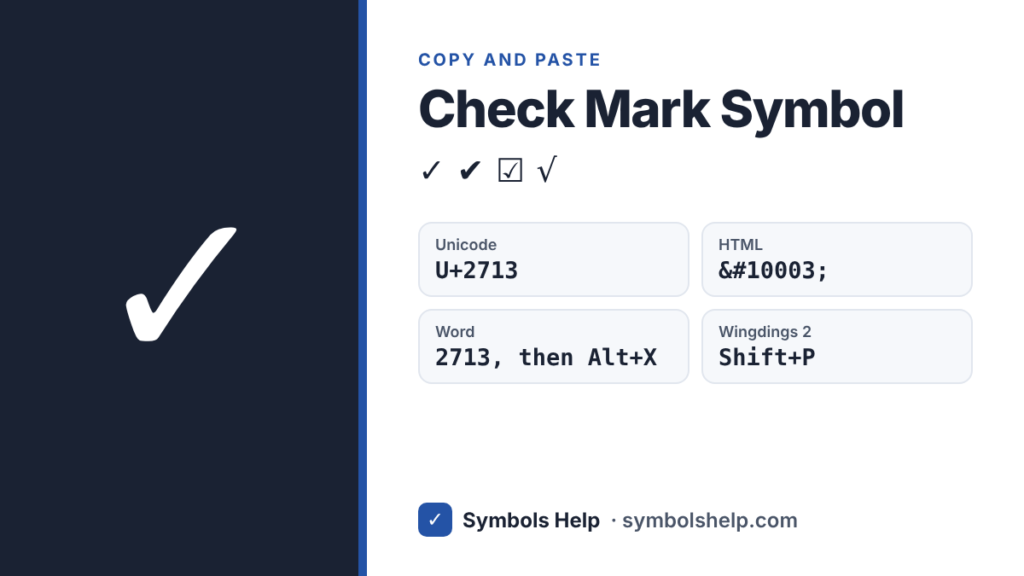
Check markU+2713
All check mark symbols · Click any symbol to copy it.
Click the big check mark above to copy it, or pick another style from the list. The standard check mark is ✓ (U+2713). In the UK, Australia and New Zealand it is usually called a tick. Every symbol on this page is Unicode text, so it pastes into Word, Google Docs, Excel, emails and chats.
All check mark symbols
| Symbol | Name | Unicode | HTML code | In Word (type code, then Alt+X) |
|---|---|---|---|---|
| ✓ | Check mark | U+2713 | ✓ | 2713 |
| ✔ | Heavy check mark | U+2714 | ✔ | 2714 |
| ✅ | White heavy check mark (emoji) | U+2705 | ✅ | 2705 |
| ☑ | Ballot box with check | U+2611 | ☑ | 2611 |
| 🗸 | Light check mark | U+1F5F8 | 🗸 | 1F5F8 |
| 🗹 | Ballot box with bold check | U+1F5F9 | 🗹 | 1F5F9 |
| ☐ | Ballot box (empty) | U+2610 | ☐ | 2610 |
| √ | Square root | U+221A | √ | 221A |
Use ✓ or ✔ in documents and forms. Use ☐ and ☑ when you need a checkbox in plain text, like a to-do list in an email. The symbols 🗸 and 🗹 are newer additions to Unicode, so some older devices show them as an empty box.
How to type a check mark
In Microsoft Word
- Type 2713 and press Alt+X right after it. Word turns it into ✓. Use 2714 for ✔.
- Or go to Insert → Symbol → More Symbols, choose the font Wingdings, and type 252 in the Character code box.
- Quick shortcut: change the font to Wingdings 2 and press Shift+P.
In Excel
- Select a cell, press Shift+P, then change the font to Wingdings 2.
- Or use a formula:
=UNICHAR(10003)gives ✓ in Excel 2013 and newer.
In Google Docs and Sheets
- Docs: go to Insert → Special characters, then search “check” or draw the mark.
- Sheets:
=UNICHAR(10003)works here too. For a box you can click, use Insert → Checkbox.
On Windows (any app)
- Press Windows key + . (period) to open the emoji panel, then type “check” to find ✔️ ✅ ☑️.
- Alt+251 on the number pad types √ in many apps. It is really a square root sign, but people often use it as a check mark. There is no Alt code for ✓ itself.
On Mac
- Press Control+Command+Space to open the Character Viewer, search “check”, and double-click ✓.
- Option+V types √ as a quick stand-in.
On iPhone and Android
- Open the emoji keyboard and search “check” for ✅ ✔️ ☑️.
- For the plain ✓, copy it once from this page and save it as a text shortcut. On iPhone, go to Settings → General → Keyboard → Text Replacement. On Android with Gboard, go to Gboard settings → Dictionary → Personal dictionary.
In HTML, CSS and LaTeX
- HTML:
✓or✓for ✓, and✔for ✔. - CSS:
content: "\2713"; - LaTeX:
\checkmark(needs the amssymb package).
✓ vs ✔ vs ✅: what is the difference?
✓ and ✔ are text symbols. They take the color and size of the text around them, so they look neat in documents. ✔ is simply a bolder version of ✓.
✅ is an emoji. It shows as a green box on most phones, and its look changes between Apple, Google and Microsoft. Use the text symbols in documents and forms, and the emoji in chats and social posts. On some phones, ✔ and ☑ can also appear in emoji style.
What does a check mark mean?
In most English-speaking countries, a check mark means yes, done or correct. You see it on to-do lists, forms, ballots and verified accounts.
The meaning is not the same everywhere. In Swedish, Norwegian and Finnish schools, a check mark can mark a wrong answer. In Japan, a ✓ or an X is often used for wrong, while a circle (〇) means correct.
Frequently asked questions
Is there an Alt code for the check mark?
Not for ✓ itself. Windows Alt codes only cover older character sets. Alt+251 gives √, which looks close. In Word, type 2713 and then press Alt+X instead.
What is the HTML code for a check mark?
Use ✓ or ✓ for ✓, and ✔ for the heavy check mark ✔.
Why does my check mark show as an empty box?
The font on that device does not include the symbol. This happens most with 🗸 and 🗹. Switch to a common font like Segoe UI Symbol or Arial, or use ✓, which works almost everywhere.
Is a check mark the same as a tick?
Yes. They are the same symbol. Americans say check mark, while people in the UK, Australia and New Zealand usually say tick.
How do I make a clickable checkbox in Word?
Turn on the Developer tab (File → Options → Customize Ribbon), then choose Developer → Check Box Content Control. The ☐ and ☑ symbols on this page are plain text, so they cannot be clicked.
Need a different symbol? Search 246 symbols in our Symbol Finder.
Written by Muhammad Ilyas. Every code on this page is checked against the Unicode Standard. Found a mistake? Email hellomyaisteps@gmail.com.
About this page
- Written and checked by: Muhammad Ilyas
- Last updated: October 11, 2026
- Source: Unicode code chart: Dingbats (U+2713)