

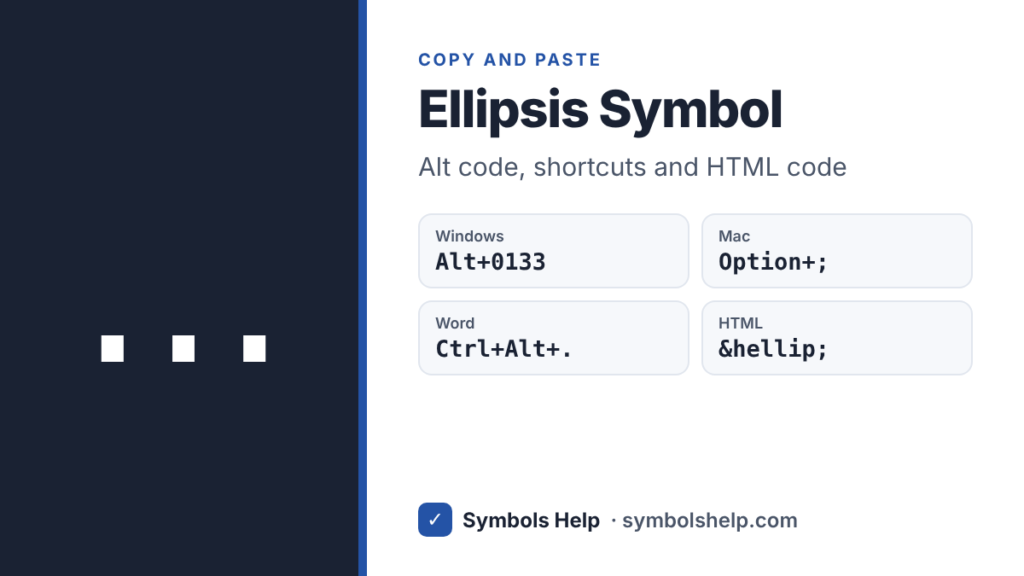
Copy the ellipsis … with one click below. It is a single character that looks like three dots. On Windows, hold Alt and type 0133 on the number pad. On a Mac, press Option + ; (semicolon). In Word, just type three periods and Word joins them for you.
Horizontal ellipsisU+2026
Ellipsis and dot symbols · Click any symbol to copy it.
Ellipsis codes
| Sign | HTML | Alt |
|---|---|---|
| … Ellipsis | … | 0133 |
| ⋯ Midline ellipsis | ⋯ | None |
| ⋮ Vertical ellipsis | ⋮ | None |
| ‥ Two dot leader | ‥ | None |
| · Middle dot | · | 0183 |
Paste any of these into our Unicode converter to get the CSS, JavaScript and other codes.
How to type the ellipsis
| Where | Keys |
|---|---|
| Windows | Alt + 0133 on the number pad |
| Mac | Option + ; |
| Microsoft Word | Ctrl + Alt + . or type three periods |
| Google Docs | Insert > Special characters, search “ellipsis” |
| Chromebook | Ctrl + Shift + U, then 2026 and Space |
| Phone | Hold the period key on most keyboards |
On a laptop without a number pad, press Windows key + . (period), click the Ω tab and open the punctuation symbols. Our Word guide and phone guide have more shortcuts.
One character or three periods?
Both are correct, and most readers will never notice the difference. The single … character has a few practical advantages.
- It never splits across two lines, while three periods can break with one dot left alone on the next line.
- It counts as one character, which helps in places with a character limit, like a bio or a text message.
- Its dots are evenly spaced in every font.
Some style guides and publishers still prefer three typed periods, so if you write for one of them, follow their rule.
How to use an ellipsis
- To show that words were left out of a quote: “We hold these truths … that all men are created equal.”
- To show a pause or a sentence that trails off: “Well … I am not sure.”
- In chats and posts, to sound unsure or to build suspense: “Guess what I found…”
Spacing follows the style you use. News writers who follow AP style put a space before and after the ellipsis. In casual writing, many people attach it to the word before. Pick one way and keep it.
Ellipsis examples in real writing
Four ways writers use … every day.
Quote: “We hold these truths … that all men are created equal.” (words left out of a longer sentence)
Trailing off: “I was going to say… never mind.”
Suspense: “And then she opened the box…”
Lists: “Bring pens, paper, snacks…” (the list goes on)
In each case the ellipsis does the same job: it tells the reader something is missing, unfinished or coming next.
Ellipsis vs three periods vs em dash
Three marks that look alike but do different jobs.
| Mark | Use it for | Example |
|---|---|---|
| … | A pause or missing words | “Well … I am not sure.” |
... | The same job when a style guide asks for plain periods | “Well... I am not sure.” |
| — | A sudden break or a side thought | “I was sure — until I checked.” |
When in doubt, use the single … character. It never splits across lines and counts as one character. The em dash page explains the dash in full.
Why your three dots turn into …
Many apps swap three periods for the single character on their own. Word does it through AutoCorrect, and iPhones do it with Smart Punctuation in Settings > General > Keyboard. Most of the time that is helpful. In Word, press Ctrl + Z right after the change to get the three periods back.
Watch out when you write code or commands. In many programming languages ... must stay as three plain periods, so a document that turned them into … can break code you copy out of it. Paste code into a plain text editor first, or turn the replacement off while you work.
The other ellipsis symbols
| Sign | Where you see it |
|---|---|
| ⋮ | The “more” menu in apps, three dots stacked up |
| ⋯ | Math, like 1 + 2 + ⋯ + n, where dots sit at the middle of the line |
| ⋰ ⋱ | Matrices in math |
| ‥ | Japanese and Chinese text, and as a short pause |
Frequently asked questions
What is the Alt code for the ellipsis?
Alt + 0133 on the number pad.
How do I type an ellipsis on a Mac?
Press Option + ; (semicolon).
What is the plural of ellipsis?
Ellipses.
Is an ellipsis three dots or four?
An ellipsis is always three dots. You may see four when it ends a sentence, because the fourth dot is the normal period.
What is the HTML code for the ellipsis?
… or ….
Can I use … in a file name?
Yes, on Windows and Mac. Avoid it in web addresses and code, where the single character can break a link or a command. Use three plain periods there.
Does the ellipsis count as one character on X and in bios?
Yes. The single … is one Unicode character, so it takes one space in a bio or a post with a character limit. Three typed periods take three.
Sources: the Unicode code charts for General Punctuation (U+2024 to U+2026) and Mathematical Operators (U+22EE to U+22F1).
Written by Muhammad Ilyas, updated October 2026.
More punctuation: the em dash, the paragraph symbol ¶ and the section sign §.
About this page
- Written and checked by: Muhammad Ilyas
- Last updated: November 21, 2026
- Source: Unicode code chart: General Punctuation (U+2026)