

Degree signU+00B0
All degree and temperature symbols · Click any symbol to copy it.
Click the big degree sign above to copy it. The degree symbol is ° (U+00B0). You can also copy °C and °F in one click. Every symbol here is Unicode text, so it pastes into Word, Google Docs, Excel, emails and chats.
Degree and temperature symbols
| Symbol | Name | Unicode | HTML code | Alt code (Windows) |
|---|---|---|---|---|
| ° | Degree sign | U+00B0 | ° | Alt+0176 |
| °C | Degrees Celsius (two characters) | U+00B0 + C | °C | Alt+0176, then C |
| °F | Degrees Fahrenheit (two characters) | U+00B0 + F | °F | Alt+0176, then F |
| ℃ | Degree Celsius sign | U+2103 | ℃ | None |
| ℉ | Degree Fahrenheit sign | U+2109 | ℉ | None |
| K | Kelvin sign | U+212A | K | None (type a normal K) |
| ′ | Prime (minutes) | U+2032 | ′ | None |
| ″ | Double prime (seconds) | U+2033 | ″ | None |
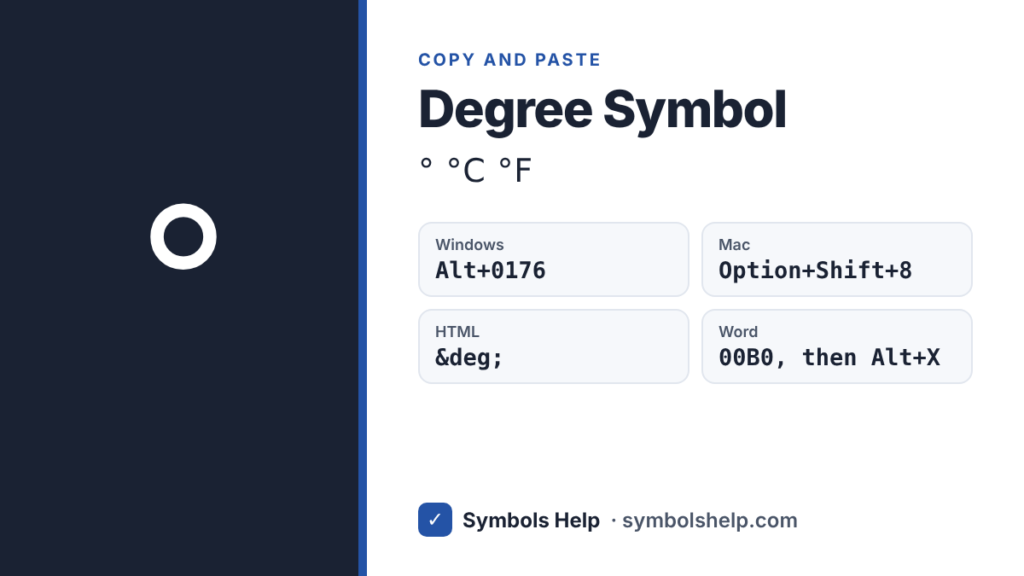
Hold Alt and type the number on the number pad, not the top row. In many apps, Alt+248 also gives °.
° vs ℃: which should you use?
Use the degree sign followed by the letter: °C or °F. This looks right in every font and is what style guides and science writing use.
℃ and ℉ are single characters that Unicode keeps mainly for compatibility with older East Asian text systems. They look slightly different from font to font, and some search tools do not match them with °C. Stick with ° plus a letter unless a form asks for the single character.
Symbols that look like a degree sign (but are not)
- º (U+00BA) is the masculine ordinal indicator, used in Spanish and Portuguese, like 1º (primero). Many fonts draw it with a small line under it.
- ˚ (U+02DA) is the “ring above” accent. On a Mac, Option+K types this one by mistake.
- ∘ (U+2218) is the ring operator from math, used for function composition.
- ⁰ (U+2070) is a superscript zero.
These can look close, but search engines, spell checkers and screen readers treat them as different characters. For temperatures and angles, always use °.
How to type the degree symbol
On Windows
- Hold Alt and type 0176 on the number pad.
- In many apps, Alt+248 works too.
In Microsoft Word
- Press Ctrl+Shift+@ and then Space. Word inserts °.
- Or type 00B0 and press Alt+X right after it.
- Or go to Insert → Symbol and pick °.
In Excel
- Click a cell and press Alt+0176.
- Or use a formula:
=CHAR(176)gives °. - To show °C after numbers automatically, go to Format Cells → Custom and type
0"°C".
In Google Docs
- Go to Insert → Special characters and search “degree”.
On Mac
- Press Option+Shift+8 to type °.
- Do not use Option+K. That types ˚, the ring accent, which only looks like a degree sign.
On iPhone
- Open the number keyboard (123), then press and hold the 0 key. Slide to ° and let go.
On Android
- With Gboard, tap ?123, then =<, and tap °.
In HTML, CSS and LaTeX
- HTML:
°or° - CSS:
content: "\00B0"; - LaTeX:
$^\circ$in math mode, or\textdegree(with the textcomp package)
How to write temperatures and angles
- Temperatures: the SI style puts a space before the unit, like 25 °C. Many websites and news sites write 25°C with no space. Both are widely understood. Just pick one style and use it everywhere.
- Angles: no space, like 90° or 45°.
- Kelvin: no degree sign at all. Write 300 K, not 300 °K.
- Map coordinates: use degrees, minutes and seconds, like 40° 26′ 46″ N. The ′ and ″ in the table above are the correct marks for minutes and seconds.
Frequently asked questions
What is the Alt code for the degree symbol?
Hold Alt and type 0176 on the number pad to get °. In many apps, Alt+248 also works.
How do I type a degree symbol on iPhone?
Switch to the number keyboard, then press and hold the 0 key. The ° symbol pops up. Slide to it and let go.
What is the Mac shortcut for the degree symbol?
Option+Shift+8. Be careful not to use Option+K, which types a ring accent (˚) that only looks similar.
Should there be a space between the number and °C?
The international SI style says yes: 25 °C. Many everyday writers skip the space: 25°C. For angles, never add a space: 90°.
Why does my degree sign have a line under it?
You probably typed º, the ordinal indicator used in Spanish and Portuguese, not the degree sign. Copy ° from this page or use Alt+0176 instead.
Looking for more symbols? Browse all symbols or search 246 symbols in the Symbol Finder.
Written by Muhammad Ilyas. Every code on this page is checked against the Unicode Standard. Found a mistake? Email hellomyaisteps@gmail.com.
About this page
- Written and checked by: Muhammad Ilyas
- Last updated: October 11, 2026
- Source: Unicode code chart: Latin-1 Supplement (U+00B0)