

Your phone keyboard has more symbols than it shows. On iPhone and Android, press and hold a key to see hidden versions of it, like é on the e key or € on the $ key. For anything else, copy the symbol once and save it as a shortcut. This guide shows both, step by step.
Method 1: Press and hold a key
Touch a key and keep your finger on it. A small menu pops up. Slide to the symbol you want and lift your finger. These are the most useful ones.
| Hold this key | To get |
|---|---|
| e, a, o, u, i, n, c | Accents like é è ê ë, ñ and ç |
| $ | Other money signs like € £ ¥ ¢ ₹ |
| – (hyphen) | Long dashes and the bullet • |
| 0 (zero) | The degree sign ° |
| ? and ! | Spanish ¿ and ¡ |
| . (period) | The ellipsis … on most keyboards |
| % (percent) | Per mille ‰ |
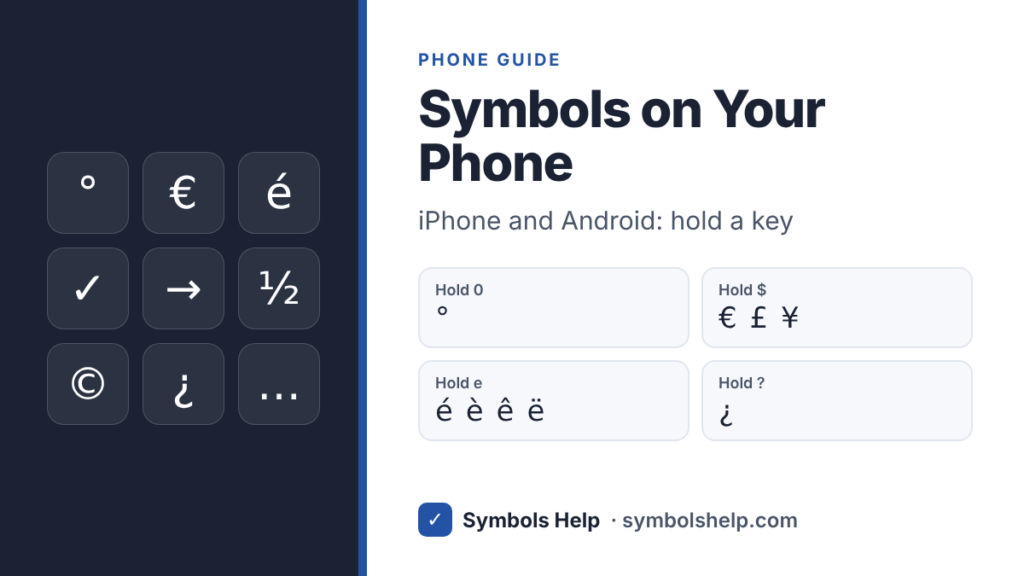
The exact list depends on your phone and keyboard app, so try holding a few keys. Letters work on the main page and the rest on the number page.
Method 2: The extra symbol pages
iPhone
Tap 123 for numbers and common signs, then #+= for a second page with brackets, the bullet •, money signs and more.
Android (Gboard)
Tap ?123, then =\< for a second page with © ® ™ ¶ ° and other signs. In Gboard settings, under Preferences, you can also turn on “Long press for symbols”, which puts a symbol on every letter key.
Samsung Keyboard
Tap !#1, then the 1/2 key to flip to the second page. Samsung also hides extra symbols behind a long press on many keys.
Method 3: Save a symbol as a shortcut
This is the best way for symbols you use often, like ✓ or →. You type a short word and your phone swaps it for the symbol.
On iPhone: Text Replacement
- Copy the symbol, for example from our symbol finder.
- Open Settings > General > Keyboard > Text Replacement and tap +.
- Paste the symbol in the Phrase box.
- Type a shortcut, like
zchk, and tap Save. - Now type zchk and a space in any app, and it turns into ✓.
On Android: Personal dictionary
- Copy the symbol.
- Open Gboard settings and go to Dictionary > Personal dictionary, then pick your language.
- Tap +, paste the symbol in the top box and type a shortcut, like
zchk, in the second box. - When you type the shortcut, Gboard shows the symbol as a suggestion. Tap it.
Start shortcuts with a letter you rarely type, like z or q, so they never get in the way of normal words. On Samsung Keyboard, look for Text shortcuts in the keyboard settings.
Method 4: Copy and paste
For a symbol you need once, copying is fastest. Find it on our symbol finder, tap it to copy, then long-press in your text box and choose Paste. To build a whole line of symbols at once, use the symbol keyboard, which works well on phones.
Method 5: Emoji search for picture symbols
Some symbols also exist as emoji, like ✔️ ❤️ ⭐ and ➡️. Open the emoji keyboard and use its search box: type “check”, “heart” or “arrow”. Emoji show in color and look a little different on every phone. For plain black symbols, like ✓ ♥ ★ →, copy them from a symbol page instead.
Common symbols and how to get them on a phone
| Symbol | Fastest way on a phone |
|---|---|
| ° Degree | Hold 0 on the number page |
| € £ ¥ Money | Hold the $ key |
| é ñ ü Accents | Hold the letter |
| ✓ Check mark | Copy it from our check mark page and save a shortcut |
| → Arrow | Copy it from our arrow symbols page |
| ½ Fractions | Hold 1 on many Android keyboards, or copy from our fractions page |
| © Copyright | Second symbol page on Android, or copy it |
Frequently asked questions
How do I type the degree symbol on iPhone?
Tap 123, then press and hold the 0 key and slide to °.
Where are special characters on an Android keyboard?
Tap ?123 for the first page of symbols and =\< for the second. Hold keys for more, like the $ key for other money signs.
Can I type a Unicode code on my phone?
Not directly. Phones have no Alt codes or Alt + X. Copy the symbol from a website, or save it once as a text shortcut.
Why does my symbol turn into an emoji?
Some symbols, like ❤ and ✔, have an emoji version, and phones often pick the colored one. Choose a symbol that has no emoji version, like ✓ instead of ✔, or ★ instead of ⭐.
Why does a symbol show as a box?
Your phone has no font for it. This mostly happens with rare or very new symbols on older phones. Updating the phone usually fixes it.
Sources: Apple Support, Save keystrokes with text replacements on iPhone, and Gboard Help, Get word suggestions and fix mistakes. Written by Muhammad Ilyas, updated October 2026.
More guides: symbols on a Mac, Alt codes on Windows and symbols in Google Docs.