

Rightwards arrowU+2192
All arrow symbols · Click any symbol to copy it.
Click any arrow above to copy it. This page has 42 arrow symbols: simple arrows like → and ←, double arrows like ⇒, curved arrows like ↩ and ↻, and bold arrows like ➜. They are all Unicode text, so they paste into Word, Google Docs, emails, chats and social media bios.
Most used arrow symbols
| Symbol | Name | Unicode | HTML code | Alt code (Windows) |
|---|---|---|---|---|
| → | Rightwards arrow | U+2192 | → | Alt+26 |
| ← | Leftwards arrow | U+2190 | ← | Alt+27 |
| ↑ | Upwards arrow | U+2191 | ↑ | Alt+24 |
| ↓ | Downwards arrow | U+2193 | ↓ | Alt+25 |
| ↔ | Left right arrow | U+2194 | ↔ | Alt+29 |
| ↕ | Up down arrow | U+2195 | ↕ | Alt+18 |
| ⇒ | Rightwards double arrow | U+21D2 | ⇒ | None |
| ⇐ | Leftwards double arrow | U+21D0 | ⇐ | None |
| ⇔ | Left right double arrow | U+21D4 | ⇔ | None |
| ↗ | North east arrow | U+2197 | ↗ | None |
| ↘ | South east arrow | U+2198 | ↘ | None |
| ⟶ | Long rightwards arrow | U+27F6 | ⟶ | None |
| ↩ | Leftwards arrow with hook | U+21A9 | ↩ | None |
| ↻ | Clockwise open circle arrow | U+21BB | ↻ | None |
| ➜ | Heavy round-tipped rightwards arrow | U+279C | ➜ | None |
| ▶ | Black right-pointing triangle | U+25B6 | ▶ | None |
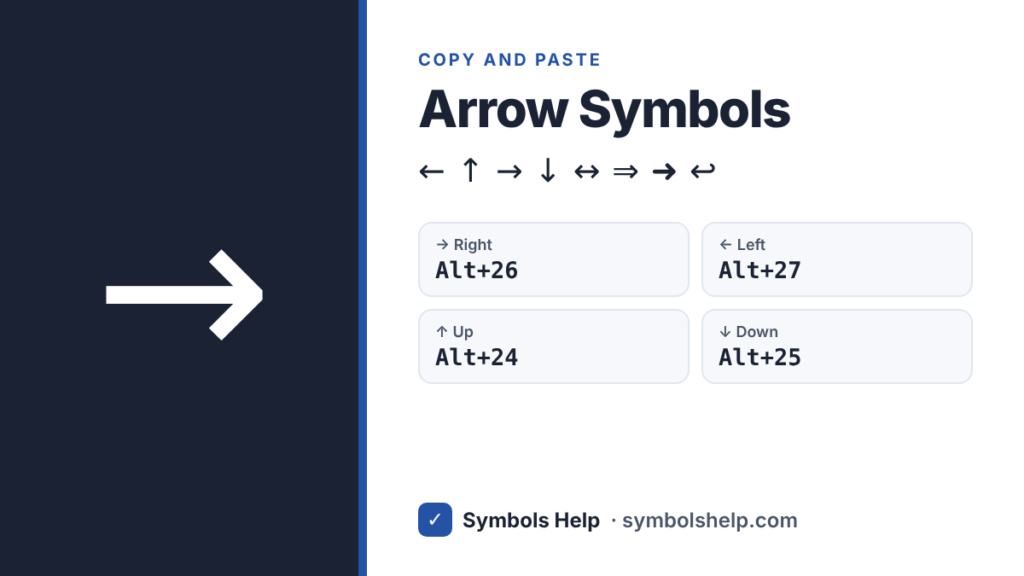
The Alt codes work in most Windows apps. Hold Alt and type the number on the number pad, not the top row.
Types of arrow symbols
- Basic arrows: ← ↑ → ↓ ↔ ↕
- Diagonal arrows: ↖ ↗ ↘ ↙
- Double arrows: ⇐ ⇑ ⇒ ⇓ ⇔ ⇕
- Long arrows: ⟵ ⟶ ⟷
- Curved and circle arrows: ↩ ↪ ↺ ↻ ⤴ ⤵ ↵
- Bold and fancy arrows: ➔ ➜ ➝ ➞ ➤ ➢ ➡
- Two-way arrows: ⇄ ⇆
- Triangle pointers: ▶ ◀ ▲ ▼
How to type arrow symbols
On Windows
- Use the Alt codes in the table above, like Alt+26 for → and Alt+27 for ←.
- For emoji arrows, press Windows key + . (period) and type “arrow” to find ➡️ ⬅️ ⬆️ ⬇️.
In Microsoft Word
- Type –> and Word’s AutoCorrect turns it into an arrow.
- Or type the code, like 2192, and press Alt+X right after it.
- Or go to Insert → Symbol → More Symbols and pick the Arrows subset.
In Google Docs
- Go to Insert → Special characters, then search “arrow” or draw one.
- Docs may also turn -> into → as you type. You can check this under Tools → Preferences → Substitutions.
On Mac
- Press Control+Command+Space to open the Character Viewer, then pick the Arrows category and double-click the arrow you want.
On iPhone and Android
- Open the emoji keyboard and search “arrow” for ➡️ ⬅️ ⬆️ ⬇️ ↩️.
- For plain arrows like →, copy one from this page and save it as a text shortcut. On iPhone, go to Settings → General → Keyboard → Text Replacement.
In HTML, CSS and LaTeX
- HTML:
→→,←←,↑↑,↓↓,↔↔,⇒⇒ - CSS:
content: "\2192"; - LaTeX:
\rightarrow(or\to),\leftarrow,\uparrow,\downarrow,\Rightarrow,\Leftrightarrow
What do arrow symbols mean?
- → means “leads to”, “becomes” or “next step”. In math, it shows a function or a limit, like x → 0.
- ⇒ means “implies” in logic and math.
- ⇔ means “if and only if”.
- ↑ and ↓ mean increase and decrease, like prices going up or down.
- ↩ often means undo, reply or go back. ↻ means refresh or reload.
- ↵ is the symbol for the Enter (Return) key.
- ⇄ means swap or exchange.
Why do some arrows show as emoji?
Some arrows, like ➡ ⬅ ⬆ ⬇ ↩ ↪ and ↔, also exist as emoji. Phones may show them as colored icons in a box. If you want plain, text-style arrows, use → ← ↑ ↓. These never turn into emoji.
Frequently asked questions
What is the Alt code for the right arrow?
Hold Alt and type 26 on the number pad to get →. In Word, you can also type 2192 and press Alt+X.
How do I type an arrow on a Mac?
Press Control+Command+Space to open the Character Viewer, choose Arrows, and double-click the one you want. Macs do not use Alt codes.
What is the HTML code for an arrow?
Use → for →, ← for ←, ↑ for ↑, ↓ for ↓ and ⇒ for ⇒.
What is the difference between → and ⇒?
→ is the everyday arrow for directions, steps and “leads to”. ⇒ is the double arrow, used in logic and math to mean “implies”. In casual writing, both just point to what comes next.
Can I use arrow symbols in Instagram or TikTok bios?
Yes. Arrows are plain text, so you can copy one from this page and paste it into any bio, caption or comment.
Need a check mark or an X? See the check mark symbol ✓ and the X mark symbol ✗, or browse all symbols.
Written by Muhammad Ilyas. Every code on this page is checked against the Unicode Standard. Found a mistake? Email hellomyaisteps@gmail.com.
About this page
- Written and checked by: Muhammad Ilyas
- Last updated: October 11, 2026
- Source: Unicode code chart: Arrows (U+2192)