

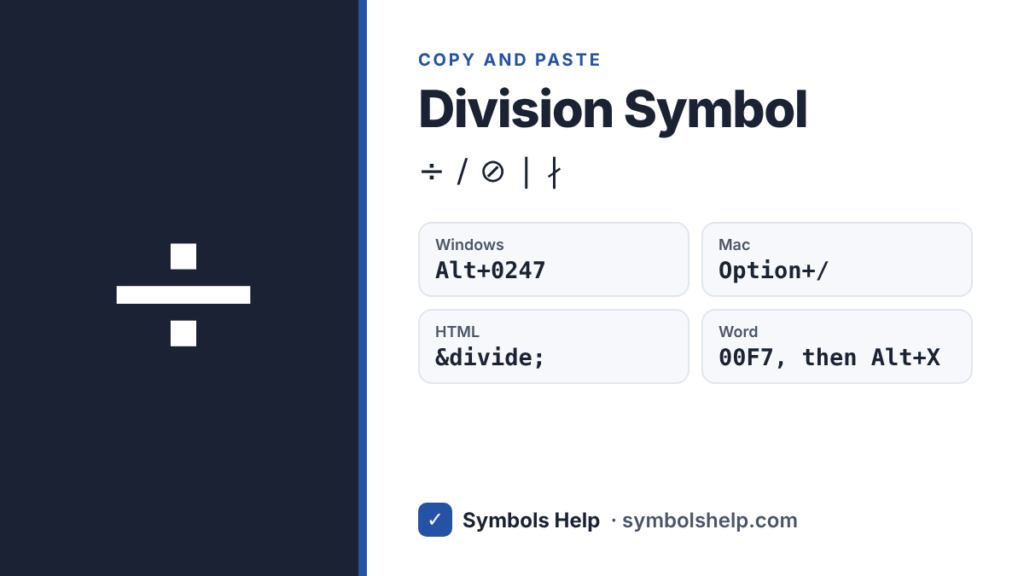
Copy the division symbol ÷ with one click below. On Windows, hold Alt and type 0247 on the number pad. On a Mac, press Option + /. The tool also has the division slash ∕, the fraction slash ⁄ and the long division sign ⟌.
Division signU+00F7
Division signs · Click any symbol to copy it.
Division symbol codes
These are the signs used for dividing, with the HTML code and the Windows Alt code. Each sign in the tool above also shows its Unicode number.
| Sign | HTML | Alt |
|---|---|---|
| ÷ Division sign (obelus) | ÷ | 0247 |
| ∕ Division slash | ∕ | None |
| ⁄ Fraction slash | ⁄ | None |
| ⟌ Long division | ⟌ | None |
| ∣ Divides | ∣ | None |
| ∤ Does not divide | ∤ | None |
| ⊘ Circled division slash | ⊘ | None |
Here is a trap that catches a lot of people. Alt + 246 also gives ÷, but Alt + 247 without the zero gives ≈. The short codes and the codes that start with 0 come from two different character sets, so one number can mean two things. Our Alt Code Finder shows both kinds side by side.
How to type the division symbol
Windows
Turn on Num Lock, hold Alt, type 0247 on the number pad and let go of Alt. The number keys above the letters do not work for Alt codes. On a laptop without a number pad, press Windows key + . (period), click the Ω tab and open Math symbols. Our Alt codes guide explains the rest.
Microsoft Word
Type 00F7 and press Alt + X. You can also press Alt + = to start an equation, type \div and press Space.
If 00F7 comes right after another number, Word reads both as one code. Type a space first, or select just 00F7, and then press Alt + X.
Mac
Press Option + / on the standard US keyboard. That is the slash key next to the right Shift key. For the other division signs, press Control + Command + Space and search for “division”. Our Mac symbols guide lists more Option shortcuts.
Google Docs
Go to Insert > Special characters and search for “division”. Inside an equation (Insert > Equation), type \div and press Space.
Excel and Google Sheets
=UNICHAR(247) gives ÷. To divide, though, you must use the slash, as in =A1/B1. Excel shows an error if you put ÷ in a formula.
iPhone and Android
The iPhone keyboard has no ÷ key, so copy it from this page or set it up in Settings > General > Keyboard > Text Replacement. On Android, Gboard has ÷ on the second symbols page: tap ?123, then =\<.
Chromebook
Press Ctrl + Shift + U, type 00f7, then press Space or Enter.
HTML, CSS and LaTeX
In HTML, use ÷ or ÷. In CSS, use content: "\00F7";. In LaTeX, \div gives ÷ and \frac{a}{b} gives a stacked fraction.
÷, /, : or a fraction bar: which one to use
| Sign | Use it for |
|---|---|
| ÷ | School math, calculators and simple sums like 12 ÷ 4 = 3 |
| / | Excel, code, URLs and quick typing: 12/4 |
| Fraction bar | Algebra and higher math, where the top number sits over the bottom one |
| : | Ratios like 3:1, and division in some countries, such as Germany |
Math books stop using ÷ after the early school years. The international standard for math notation, ISO 80000-2, says ÷ should not be used for division and recommends the slash or a fraction bar instead. On a calculator or in a kids’ worksheet, though, ÷ is still the sign everyone knows.
Watch out with sums like 6 ÷ 2(1 + 2). Many calculators work left to right and give 9, while some people read 2(1 + 2) as one block and get 1. The sum is unclear, not the math. Writing it as a fraction removes the problem.
What is the ÷ sign called?
Its Unicode name is “division sign”. Its old name is the obelus. In ancient Greek manuscripts, a similar mark was used to point out doubtful lines. The Swiss mathematician Johann Rahn first used ÷ for division in his 1659 algebra book, Teutsche Algebra, and an English translation in 1668 spread it through the English-speaking world.
Not every country uses it the same way. In Norway and Denmark, ÷ was long used as a minus sign instead.
Frequently asked questions
What is the Alt code for the division symbol?
Alt + 0247 on the number pad. Alt + 246 works too. Be careful with Alt + 247, which gives ≈ instead.
How do I type ÷ on a Mac?
Press Option + / (slash). It works in almost every app on the US keyboard layout.
What is the HTML code for the division sign?
÷ or ÷. Both show ÷.
Is there a division key on the keyboard?
Not for ÷. The / key on the number pad is the divide key, and calculators and spreadsheets treat / as divide.
What does ⟌ mean?
⟌ is the long division sign, the bracket and line you draw around the number you are dividing in long division. It is newer, so a few older fonts may not show it.
Sources: the Unicode Latin-1 Supplement chart (U+00F7), the Mathematical Operators chart, the ISO 80000-2 standard for mathematical signs, and Florian Cajori’s A History of Mathematical Notations (1928). Written by Muhammad Ilyas, updated October 2026.
More math signs: multiplication sign ×, plus-minus ±, not equal ≠ and all math symbols in one place.
About this page
- Written and checked by: Muhammad Ilyas
- Last updated: October 12, 2026
- Source: Unicode code chart: Latin-1 Supplement (U+00F7)