

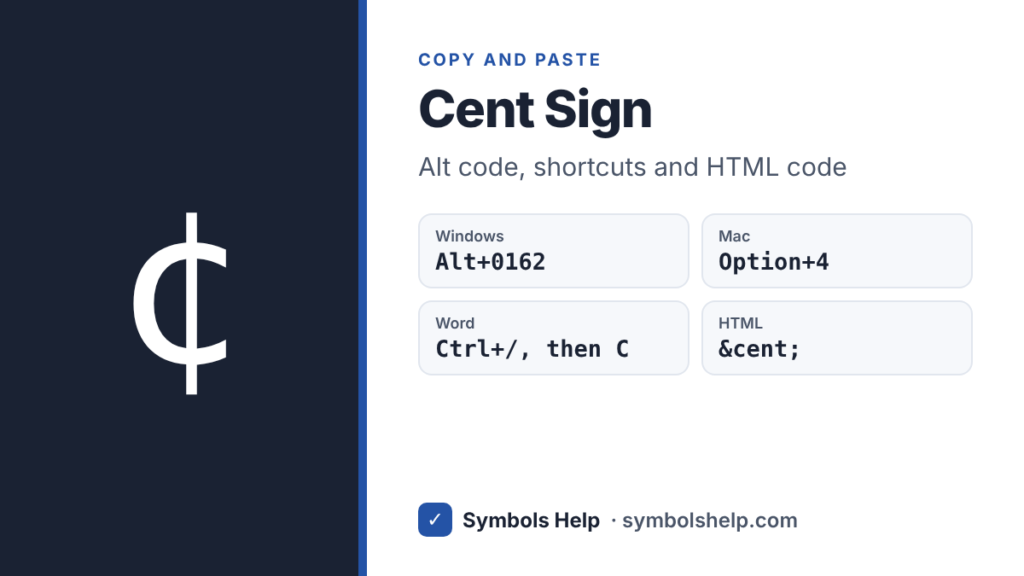
Copy the cent sign ¢ with one click below. On Windows, hold Alt and type 0162 on the number pad. On a Mac, press Option + 4. The cent is one hundredth of a dollar, and the sign goes after the number, like 99¢.
Cent signU+00A2
Cent sign and related symbols · Click any symbol to copy it.
Cent sign codes
Here is ¢ and the signs that look like it or sit next to it on a price tag, with the HTML code and the Windows Alt code. Each sign in the tool above also shows its Unicode number.
| Sign | HTML | Alt |
|---|---|---|
| ¢ Cent sign | ¢ | 0162 or 155 |
| ¢ Wide cent | ¢ | None |
| ₵ Cedi sign | ₵ | None |
| $ Dollar sign | $ | 36 |
Both Alt codes give ¢. Alt + 0162 uses the Windows-1252 character set and Alt + 155 uses the old DOS set. The wide ¢ is made for Chinese and Japanese text, and ₵ is the sign of the Ghanaian cedi, so for prices in English you want the normal ¢. Our Alt Code Finder lists every code.
How to type the cent sign
No standard English keyboard has a ¢ key today, so you need a shortcut. Find yours in this list.
| Keyboard | Keys |
|---|---|
| Windows, number pad | Alt + 0162 |
| Windows, US-International | AltGr + Shift + C |
| Mac | Option + 4 |
| Microsoft Word | Ctrl + /, then C |
| Chromebook | Ctrl + Shift + U, then a2 and Space |
| iPhone and Android | Hold the $ key |
Windows
Turn on Num Lock, hold Alt, type 0162 on the number pad and let go. The number keys above the letters do not work for Alt codes. No number pad? Press Windows key + . (period), click the Ω tab and open the currency symbols. Our Alt codes guide explains the details.
Mac
Press Option + 4. Option + 3 gives £ and Option + Shift + 2 gives €, so all three money signs sit close together. Our Mac symbols guide has more shortcuts like these.
Microsoft Word
Hold Ctrl and press /, let go, then press C. Word turns it into ¢. You can also type 00A2 and press Alt + X. See our Word guide for more.
Google Docs
Go to Insert > Symbols > Special characters and search for “cent”. Our Google Docs guide shows the rest of that menu.
Excel and Google Sheets
To show small prices with ¢, use a custom number format. In Excel, open Format Cells > Number > Custom and type 0"¢". A cell with 99 then shows 99¢, and it stays a real number you can add up. For the sign on its own, =UNICHAR(162) gives ¢.
iPhone and Android
Open the number keys and press and hold the $ key. A small menu pops up with ¢ and other money signs.
HTML, CSS and LaTeX
In HTML, use ¢ or ¢. In CSS, use content: "\00A2";. In LaTeX, \textcent works in most setups.
Where did the cent key go?
On American typewriters, ¢ had its own spot as the shifted 6 key. Computer keyboards gave that spot to the caret ^, which is why Shift + 6 types ^ today. The sign never came back as a key, but every modern computer and phone can still show it.
How to write prices in cents
Put ¢ after the number with no space: 5¢, 25¢, 99¢. Use it only for amounts under a dollar. For one dollar or more, switch to the dollar sign: $1.25, not 125¢.
Do not use both signs at once. $0.99¢ is a common mistake. Write either 99¢ or $0.99. In formal writing and on websites, $0.99 is the more common choice, while ¢ shows up on price tags and signs.
¢ is mainly used in the US and Canada. In Australia and New Zealand people usually write a plain c, like 50c, and euro prices use c, ct or a decimal like €0.50. Our euro symbol page explains euro cents.
Frequently asked questions
What is the Alt code for the cent sign?
Alt + 0162 on the number pad, with Num Lock on. Alt + 155 also works.
How do I type ¢ on a Mac?
Press Option + 4.
How do I type the cent sign on a laptop without a number pad?
Press Windows key + . (period), click the Ω tab and pick ¢ from the currency symbols. In Word, press Ctrl + / and then C.
Does the cent sign go before or after the number?
After, with no space: 50¢. The dollar sign goes before: $0.50.
What is the HTML code for the cent sign?
¢ or ¢. Both work in every browser.
Sources: the Unicode code charts for Latin-1 Supplement (U+00A2), Currency Symbols (U+20B5) and Halfwidth and Fullwidth Forms (U+FFE0). Written by Muhammad Ilyas, updated October 2026.
More money signs: the pound sign £, the euro symbol € and all currency symbols in one place.
About this page
- Written and checked by: Muhammad Ilyas
- Last updated: October 18, 2026
- Source: Unicode code chart: Latin-1 Supplement (U+00A2)