

Not equal toU+2260
Equal, not equal and comparison signs · Click any symbol to copy it.
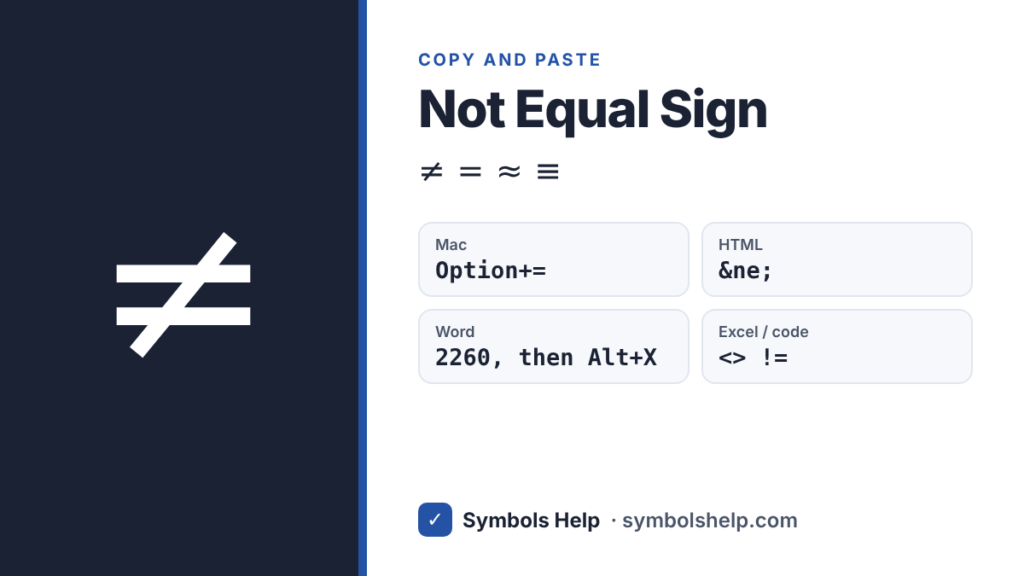
Click the big symbol above to copy it. The not equal sign is ≠ (U+2260). It shows that two values are different. Every symbol on this page is Unicode text, so it pastes into Word, Google Docs, Excel, emails and chats.
Not equal and related signs
| Symbol | Name | Unicode | HTML code | Meaning |
|---|---|---|---|---|
| ≠ | Not equal to | U+2260 | ≠ | Is not equal to |
| = | Equals sign | U+003D | = | Is equal to |
| ≈ | Almost equal to | U+2248 | ≈ | Is roughly equal to |
| ≅ | Approximately equal to | U+2245 | ≅ | Is congruent to (geometry) |
| ≡ | Identical to | U+2261 | ≡ | Is always equal to, or is defined as |
| ≢ | Not identical to | U+2262 | ≢ | Is not identical to |
| ≤ | Less-than or equal to | U+2264 | ≤ | Is at most |
| ≥ | Greater-than or equal to | U+2265 | ≥ | Is at least |
What does ≠ mean?
a ≠ b means “a is not equal to b”. The two values are different.
- 3 ≠ 5 is true, because 3 and 5 are different numbers.
- x ≠ 0 means x can be any number except zero. You often see this in math rules, for example “divide by x, where x ≠ 0”.
- 2 + 2 ≠ 5 is a classic example of a true “not equal” statement.
The slash through the equals sign means “not”, the same way a slash through other math signs negates them, as in ≢ (not identical) or ≰ (not less than or equal).
How to type ≠
On Windows
- There is no standard Alt code for ≠. The quickest way is to copy it from this page.
- In Word, type 2260 and press Alt+X.
In Microsoft Word
- Type 2260 and press Alt+X right after it.
- Or go to Insert → Symbol → More Symbols, choose the Mathematical Operators subset, and pick ≠.
- In an equation box (Alt+=), type \ne and press Space.
In Google Docs
- Go to Insert → Special characters and search “not equal”.
- Docs may also turn != into ≠ as you type. You can check this under Tools → Preferences → Substitutions.
On Mac
- Press Option+= (Option and the equals key) to type ≠.
On iPhone and Android
- Android: on many keyboards, including Gboard, tap ?123, then press and hold the = key to see ≠.
- iPhone: copy ≠ once from this page and save it as a text shortcut under Settings → General → Keyboard → Text Replacement, for example “ne” → ≠.
In HTML and LaTeX
- HTML:
≠or≠ - LaTeX:
\neqor\ne
How to write “not equal” in Excel and code
Computers usually do not use the ≠ symbol in formulas or code. Instead, they use two keyboard characters:
| Where | Not equal operator | Example |
|---|---|---|
| Excel and Google Sheets | <> | =IF(A1<>B1,"Different","Same") |
| SQL | <> (most also accept !=) | WHERE status <> 'done' |
| Python, C, Java, PHP, R | != | if x != 0: |
| JavaScript | !== (strict) or != | if (a !== b) |
| Lua and MATLAB | ~= | if x ~= 0 then |
| Haskell and Fortran | /= | x /= y |
Use ≠ only when you want to show the sign as text, for example in a document or on a web page.
Frequently asked questions
What is the shortcut for not equal on a Mac?
Press Option and the equals key (Option+=). The ≠ sign appears right away.
Is there an Alt code for ≠ on Windows?
There is no standard Alt code for ≠ that works in every app. Copy it from this page, or in Word type 2260 and press Alt+X.
How do I write “not equal” in Excel?
Use <> inside formulas, for example =A1<>B1. Excel does not understand the ≠ symbol as an operator.
What is the difference between ≠ and ≢?
≠ means “not equal”. ≢ means “not identical”, a stronger statement used in logic and number theory, for example when two numbers are not congruent modulo n.
What does != mean?
!= is how most programming languages write “not equal”. It is the keyboard version of ≠.
More math signs: plus-minus ±, greater than or equal to ≥, and degree °. You can also browse all symbols.
Written by Muhammad Ilyas. Every code on this page is checked against the Unicode Standard. Found a mistake? Email hellomyaisteps@gmail.com.
About this page
- Written and checked by: Muhammad Ilyas
- Last updated: October 11, 2026
- Source: Unicode code chart: Mathematical Operators (U+2260)