

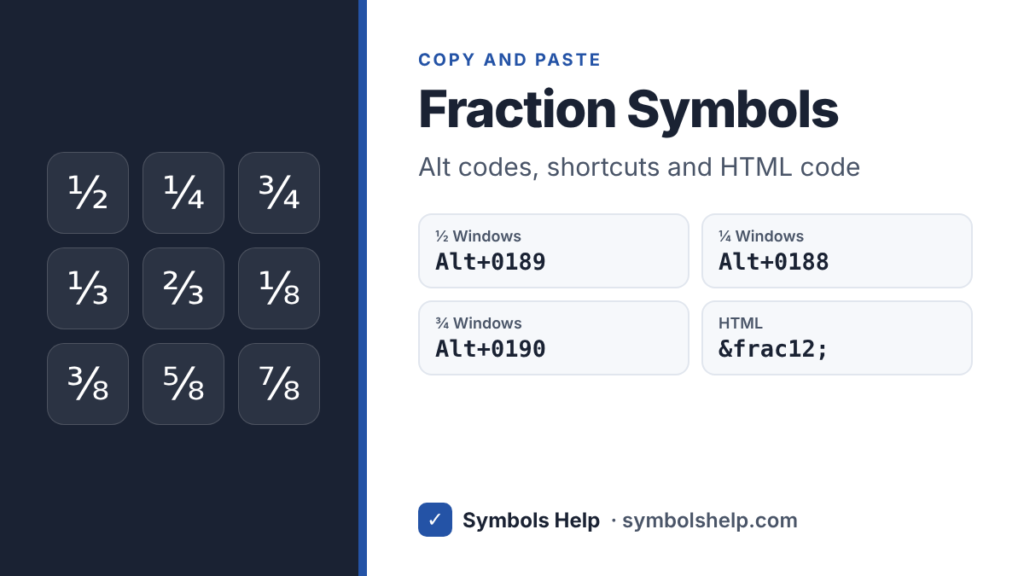
Copy fraction symbols like ½ ¼ ¾ ⅓ and ⅛ with one click below. On Windows, Alt + 0189 types ½, Alt + 0188 types ¼ and Alt + 0190 types ¾. Further down you will find every fraction Unicode has, plus a trick for writing any fraction, like ⁵⁄₁₆.
One halfU+00BD
All fraction symbols · Click any symbol to copy it.
All fraction symbols and their codes
Unicode has ready-made characters for 19 common fractions. Here they are with the HTML code and the Windows Alt code where one exists.
| Sign | HTML | Alt |
|---|---|---|
| ½ One half | ½ | 0189 or 171 |
| ¼ One quarter | ¼ | 0188 or 172 |
| ¾ Three quarters | ¾ | 0190 |
| ⅓ One third | ⅓ | None |
| ⅔ Two thirds | ⅔ | None |
| ⅕ One fifth | ⅕ | None |
| ⅛ One eighth | ⅛ | None |
| ⅜ Three eighths | ⅜ | None |
| ⅝ Five eighths | ⅝ | None |
| ⅞ Seven eighths | ⅞ | None |
The rest are ⅖ ⅗ ⅘ ⅙ ⅚ ⅐ ⅑ ⅒ and ↉. You can copy all of them from the tool above. Only ½, ¼ and ¾ have Alt codes, because they were the only fractions in the old Windows character sets. Our Alt Code Finder shows every code that exists.
How to write any fraction
Unicode has no ready character for fractions like 5/16 or 7/12. You can still build one that looks right: put the top number in superscript, then the fraction slash ⁄ (U+2044), then the bottom number in subscript.
| Fraction | Built from |
|---|---|
| ⁵⁄₁₆ | ⁵ + ⁄ + ₁₆ |
| ⁷⁄₁₂ | ⁷ + ⁄ + ₁₂ |
| ¹⁄₁₀₀ | ¹ + ⁄ + ₁₀₀ |
Copy the small numbers from our symbol keyboard. The fraction slash ⁄ is not the same as the normal slash /. It leans more and sits closer to the numbers, and some fonts even turn 5⁄16 into a proper stacked fraction on their own.
How to type fractions
Windows
Turn on Num Lock, hold Alt and type the code on the number pad: 0189 for ½, 0188 for ¼, 0190 for ¾. For the others, press Windows key + . (period), click the Ω tab and open the math symbols. Our Alt codes guide explains the details.
Mac
Mac keyboards have no shortcut for fractions. Press Control + Command + Space, type “fraction” in the search box and double-click the one you want. Our Mac symbols guide shows how to add favorites there.
Microsoft Word
Word turns 1/2, 1/4 and 3/4 into ½, ¼ and ¾ by itself as you type. For other fractions, type the code and press Alt + X: 2153 for ⅓, 2154 for ⅔, 215B for ⅛. For a real stacked fraction in math work, press Alt + = and type 5/16 followed by a space. See our Word guide for more.
Google Docs
Google Docs can swap 1/2 for ½ as you type. Check Tools > Preferences > Substitutions, where you can also add your own pairs. You can also use Insert > Symbols > Special characters and search “fraction”. Our Google Docs guide has the details.
Excel
If you type 1/2 into a cell, Excel turns it into a date. Type a zero and a space first, like 0 1/2, and Excel stores 0.5 and shows 1/2. To show a whole column as fractions, use Format Cells > Number > Fraction.
iPhone and Android
On many Android keyboards, open the number keys and press and hold 1, 2 or 3 to see ½, ⅓, ¼ and ⅛. iPhone keyboards do not have them, so copy them from this page or save one as a shortcut in Settings > General > Keyboard > Text Replacement.
HTML
Use ½, ¼ and ¾, which work everywhere, or the number code like ⅓ for ⅓. The fraction slash is ⁄.
When to use fraction symbols
Fraction characters look neat in recipes, measurements and prices, like ½ cup or 2¾ inches. In school work and anything a calculator or spreadsheet will read, write 1/2 or 0.5 instead. Search engines and screen readers handle 1/2 better, and a reader can copy it into a calculator.
Frequently asked questions
What is the Alt code for ½?
Alt + 0189 on the number pad. Alt + 171 also works.
How do I type ¾ on a keyboard?
On Windows, press Alt + 0190. On a Mac, use the Character Viewer (Control + Command + Space) and search “three quarters”. In Word, type 3/4 and it changes by itself.
Is there a symbol for one third?
Yes, ⅓ (U+2153). It has no Alt code, so copy it from this page or type 2153 and press Alt + X in Word.
Why does my fraction look different in another font?
Each font draws fractions its own way, and a few older fonts have only ½, ¼ and ¾. If you see a box, switch to a common font like Arial or Segoe UI.
Sources: the Unicode code charts for Number Forms (U+2150 to U+215E) and Latin-1 Supplement (½ ¼ ¾). Written by Muhammad Ilyas, updated October 2026.
More math signs: division ÷, multiplication ×, degree ° and all math symbols.
About this page
- Written and checked by: Muhammad Ilyas
- Last updated: October 23, 2026
- Source: Unicode code chart: Latin-1 Supplement (U+00BD)